Notepad, Notebook, Notes app
Imagination AIProductivity
4.32.94K Reviews
- Version
- 1.5.23
- Installs
- 10.00M
- Age Rating
- Everyone
Screenshots
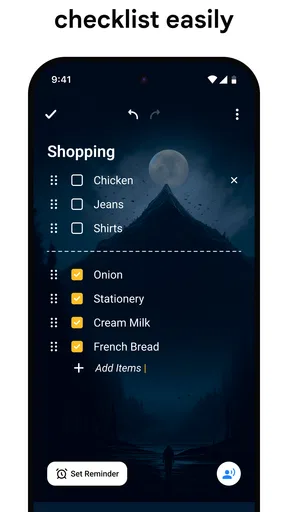
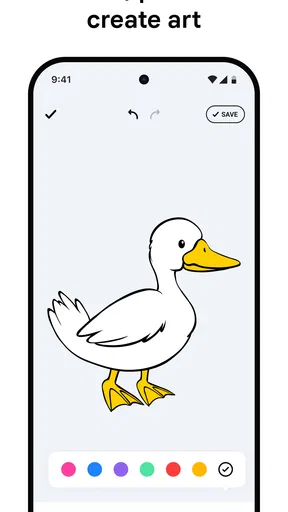
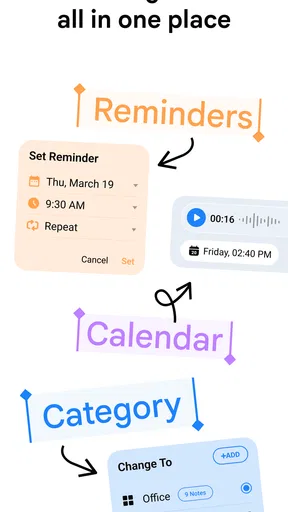
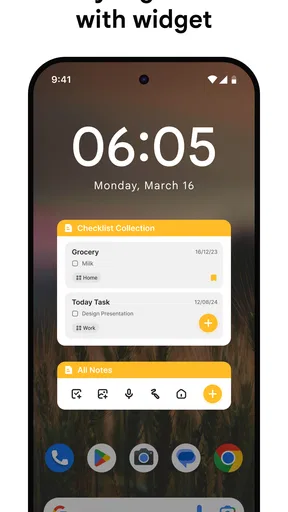
Our Review of Notepad, Notebook, Notes app
 Analysis by Appyee
I usually judge a notes app by what happens five minutes after downloading it: can I capture an idea quickly, find it later, and trust it not to get in the way? Notepad, Notebook, Notes takes a straightforward approach to that everyday problem. It is a free productivity app from Imagination AI, built around notes, to-do lists, protected ideas, and personal customization rather than a large collection of complicated tools.
After spending time with it, I see the appeal. The app feels aimed at people who want one practical place for short writing: shopping reminders, errands, passwords or private thoughts, study points, and small plans that would otherwise end up scattered across messages or scraps of paper. It is available to everyone, works on Android devices running version 6.0 or later, and has grown into a widely used option with more than ten million installs. Its average rating sits at 4.3 from roughly 171 thousand ratings, which matches my impression that it is easy to understand but not designed to replace a full project-management system.
How the app feels in everyday use
The first strength is its clear purpose. I do not open it expecting a calendar, a team workspace, or a research database. I open it to write something down. That narrow focus makes the app comfortable for quick entries, especially when I want to avoid the distractions that often come with larger productivity platforms.
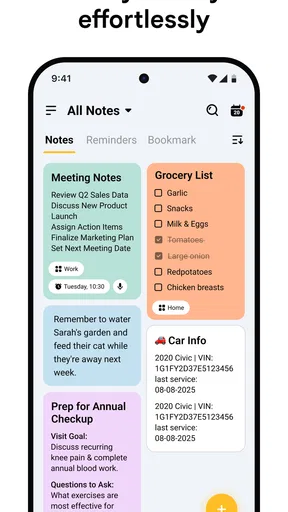
A realistic example is a busy Saturday. I can create one note for the groceries, another for measurements needed at a hardware store, and a short checklist for errands. Instead of mixing everything into one long paragraph, I can separate the information according to the way I will use it. That small distinction matters: a note is useful for context, while a to-do list is better when I need to mark individual actions.
The app’s store summary also highlights the ability to lock ideas. I consider that one of its more valuable features because a notes tool often becomes a place for information that is personal, unfinished, or simply not meant for casual viewing. I would still avoid treating a phone note as a complete security system for extremely sensitive records, but the lock option adds a useful layer for private reminders and personal writing.
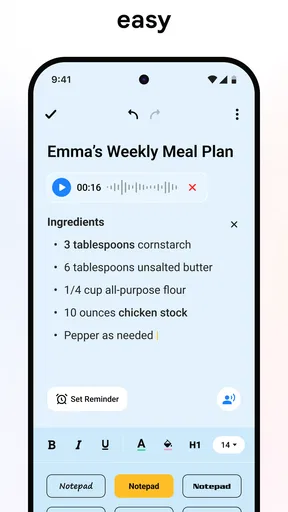
Customization gives the experience a more personal feel than a bare text field. I like this for users who keep many small notes and need visual differences to recognize them quickly. A different appearance can help separate work reminders from household tasks or creative ideas. The benefit is practical rather than decorative: when a note is easier to identify, I am less likely to open the wrong one or overlook it.
The best way to use this app is as a fast personal capture tool, not as an all-purpose office suite. That distinction prevents disappointment. It is well suited to short-form organization, but people who need shared editing, advanced document formatting, or detailed task dependencies should look toward a more specialized alternative.
Notes and checklists serve different jobs
One useful habit is to decide what an entry is before writing it. If I am collecting thoughts for a future project, a regular note gives me room to write naturally. If I am preparing for a trip, a checklist is more efficient because each item can be handled independently. Mixing both styles in one entry can make a note harder to maintain, especially when completed tasks become buried inside paragraphs.
I also find it helpful to create a note before the information becomes urgent. For example, while planning a weekend away, I can make separate entries for packing, places to visit, and questions to ask a hotel. This keeps the planning process flexible. Once the trip gets closer, the packing entry can function as a checklist while the other entries remain reference material.
This workflow is more useful than simply treating the app as a digital sheet of paper. The important advantage comes from matching the structure to the task. A person who takes a few seconds to separate reference notes from action lists will probably get much more value from the app than someone who puts every reminder into one growing document.
Private writing and quick ideas
The lock feature also changes how I think about the app. Without it, I would be more likely to keep only harmless reminders. With it, I can use a protected entry for journal-like thoughts, early ideas for a creative project, or personal information that I do not want visible when someone borrows my phone. I would not use that as a reason to store every important secret in one place, but it is convenient for ordinary privacy.
There is a practical trade-off here. A locked note is useful only if I remember how I protected it and maintain good device security. Convenience should not be confused with guaranteed protection against every kind of access. For a casual personal notebook, the feature is welcome; for highly sensitive business or financial material, I would choose a service built specifically for that level of risk.
What the current version says about the app’s direction
The current version is 1.5.23, and that gives the app a more established feel than a brand-new experiment. I see its development as gradual refinement around the same central idea: making ordinary note-taking, lists, privacy, and visual personalization work together without overwhelming the user.
That continuity matters for existing users. Someone who already relies on the app for daily reminders is not being asked to learn an entirely different productivity philosophy. The core experience remains recognizable, which is helpful when notes are part of a routine. I prefer that kind of evolution in a utility app because sudden redesigns can create more friction than value.
At the same time, a version number alone should not be read as proof that every advanced feature a user might want is present. I would evaluate the app by its current practical tools rather than expecting it to become a replacement for a complete note ecosystem. The confirmed direction is focused and useful, but focused apps naturally leave some specialist needs outside their scope.
For someone installing it today, the main question is not whether it has every possible feature. The better question is whether its combination of simple notes, to-do lists, locked ideas, and customization matches the way that person thinks. If the answer is yes, the app can feel pleasantly direct. If the answer is no, adding more entries will not solve the underlying mismatch.
How the evolution affects people already using it
Existing users benefit most from stability of purpose. If I have built a habit around recording errands or keeping short lists, I do not need to rethink the entire process each time I open the app. The current release supports the idea of a dependable personal notebook rather than a constantly changing workspace.
There is also a learning advantage. New users can begin with a single note and gradually add checklists or protected entries as their needs grow. I would recommend that approach instead of trying to organize everything on the first day. Start with the two or three kinds of information you actually record, then create a structure that reflects those habits.
One of my favorite small workflows is a three-part setup: a temporary capture note for thoughts during the day, a checklist for actions, and a more permanent reference note for information I will use repeatedly. At the end of the day, I can move or rewrite anything important instead of letting the capture note become a permanent mess. This is a simple discipline, but it makes a basic notes app feel much more organized.
Another useful approach is to keep checklists short. If a list grows into a full project plan, the app may no longer be the best place for it. I would break a large plan into smaller, immediate lists rather than forcing one entry to carry every detail. That keeps the app aligned with its strongest use: quick, personal organization.
Where the app still feels limited
The same simplicity that makes the app approachable can become a limitation for demanding users. I would not choose it as my main tool for collaborative writing, shared household planning, or work that depends on multiple people editing the same material. Its strengths are personal ownership and quick capture, not teamwork.
I would also be cautious if my notes depended on sophisticated organization. People who need deep tagging systems, advanced search behavior, linked pages, extensive formatting, or a large research archive may eventually outgrow this type of notebook. A traditional document editor is better for polished pages, while a specialized knowledge-management tool is better for connecting information across many subjects.
Another trade-off is the free model. The app itself is free to download, but in-app purchases range from $2.99 to $49.99 per item. That does not automatically make it poor value, yet I would pay attention to which parts of the experience require payment before building a workflow around them. A user who wants only basic notes may be satisfied without spending anything, while someone expecting every customization or convenience feature at no cost should check the purchase choices carefully.
The app is also more suitable for Android users than for someone looking for a broad, device-independent workspace. It supports Android 6.0 and newer, which covers a wide range of devices, but the important consideration is how well it fits the rest of a person’s digital life. If I regularly move between different operating systems or need a note to appear across several platforms, I would compare its behavior with a cross-platform service before making it my primary archive.
Who should install it, and who should skip it
I would recommend it to students who need quick revision points, busy people managing errands, writers collecting fragments of ideas, and anyone who wants a calmer alternative to a feature-heavy productivity suite. It is especially appealing if you prefer keeping personal notes separate from email, chat conversations, and browser tabs.
It can also work well for parents, travelers, and home organizers. A packing list, a list of questions for an appointment, or a sequence of household tasks does not need elaborate project software. The ability to protect selected ideas is useful when the same phone is sometimes shared with family members or viewed by other people.
I would skip it if my priority were team collaboration, formal documents, complex recurring work, or a large interconnected archive. I would also look elsewhere if I need a highly specialized system for professional research or if I expect seamless use across several kinds of devices. In those situations, the usual alternatives are likely to justify their extra complexity.
The age rating of Everyone makes the app approachable for a broad audience, but that should not be mistaken for a promise that it will suit every age group equally. Younger users may like the simple format, while advanced users may find the same simplicity restrictive. The right choice depends less on experience level than on how much structure and sharing the user needs.
What I would watch before making it my main notebook
If I were continuing to use the app over a long period, I would watch how comfortably my notes scale. A tool can feel excellent with ten entries and less convenient with hundreds. I would pay attention to how quickly I can locate older information, how easy it is to keep lists current, and whether customization remains helpful rather than becoming visual clutter.
I would also watch the balance between the free experience and optional purchases. The app’s basic purpose is clear enough that it should be possible to test it with ordinary notes and lists first. My advice is to use it for a real routine before paying for extras. Create a weekly shopping list, a few private entries, and a small set of recurring personal reminders. That trial will reveal more than a quick glance at the interface.
For current users, the most important sign of healthy development would be improvement without unnecessary complication. I would welcome refinements that make finding, arranging, and protecting personal information easier, but I would not want the app to lose the quick, low-pressure feeling that makes it attractive. A notes app should reduce friction, not turn every reminder into a miniature administration task.
My final view is positive, with clear boundaries. Notepad, Notebook, Notes is a practical free productivity app for people who want notes, checklists, private ideas, and a more personal presentation in one uncomplicated place. Imagination AI has kept the concept accessible, and the current 1.5.23 release fits that focused identity.
I would install it for everyday capture and personal organization, especially when I want something lighter than a full productivity platform. I would not depend on it for collaborative work, complex project management, or a serious knowledge base. For the right user, that is not a weakness; it is the reason the app works. It stays close to the small tasks people actually need to remember, and that makes it easy to recommend to a friend who wants a simple digital notebook rather than another demanding system.
Verdict
Strengths of Notepad, Notebook, Notes app
- Clean, distraction-free interface for quick note-taking.
- Supports organizing ideas into separate notebooks.
- Fast search makes saved notes easy to find.
- Useful for lists, reminders, and everyday planning.
- Lightweight design uses minimal storage and system resources.
Limitations of Notepad, Notebook, Notes app
- Advanced formatting options may be limited.
- No built-in collaboration for sharing notes with others.
- Sync features may depend on the device or account setup.
- Large collections can become difficult to organize.
- Some useful tools may require extra permissions or paid access.
Similar Picks in This Category
View All
Google Calendar
Google LLC4.6

Google Drive
Google LLC4.3

Google Assistant
Google LLC3.9

Microsoft OneDrive
Microsoft Corporation4.6

Samsung Calendar
Samsung Electronics Co., Ltd.4.1

Microsoft OneNote: Save Notes
Microsoft Corporation4.6
Frequently Asked Questions
What is Notepad, Notebook, Notes, and what can I use it for?
Notepad, Notebook, Notes is a digital note-taking app designed for writing, organizing, and reviewing information on a mobile device. You can use it for quick reminders, shopping lists, study notes, meeting details, personal ideas, and longer text entries. Its simple layout makes it suitable for everyday writing without the complexity of a full office or productivity suite.
Does the app support different types of notes and organization options?
The app is useful for creating standard text notes and keeping information in one convenient place. Depending on the version installed, you may also find options such as titles, folders, categories, checklists, or search tools to make larger collections easier to manage. Before downloading, users who need advanced formatting, handwriting, attachments, or extensive folder systems should check the current feature list.
Can I synchronize my notes across Android or iOS devices?
Synchronization depends on the specific version and the account or backup services supported by the application. Some installations may store notes locally, while others can offer cloud backup or device synchronization. If access to your notes on multiple phones or tablets is important, review the app’s latest permissions, account requirements, and backup settings before relying on it for important information.
Is Notepad, Notebook, Notes safe for storing private or sensitive information?
The app can be convenient for everyday notes, but users should be careful with passwords, financial details, identity documents, or confidential work information. Security features such as passcodes, encryption, or biometric locking may vary by platform and app version. I recommend checking the privacy policy and available lock options, and avoiding sensitive data unless the required protection is clearly provided.
Is the app free, and does it contain advertisements or in-app purchases?
Notepad, Notebook, Notes may be available as a free download, but the exact experience can vary between Android and iOS and may change with updates. Some versions include advertising, optional premium features, or purchases for removing ads and unlocking additional tools. Check the store listing before installing so you understand possible costs, limitations, and whether an internet connection is needed.
